Workflow
From raw audio or story idea to a finished visual project.
ReelCool Studio is the planning, organization, cue, asset, and handoff layer. It helps creators control the project before, during, and after rendering — but final media creation, editing, review, and publishing still happen through the tools and decisions the creator uses.
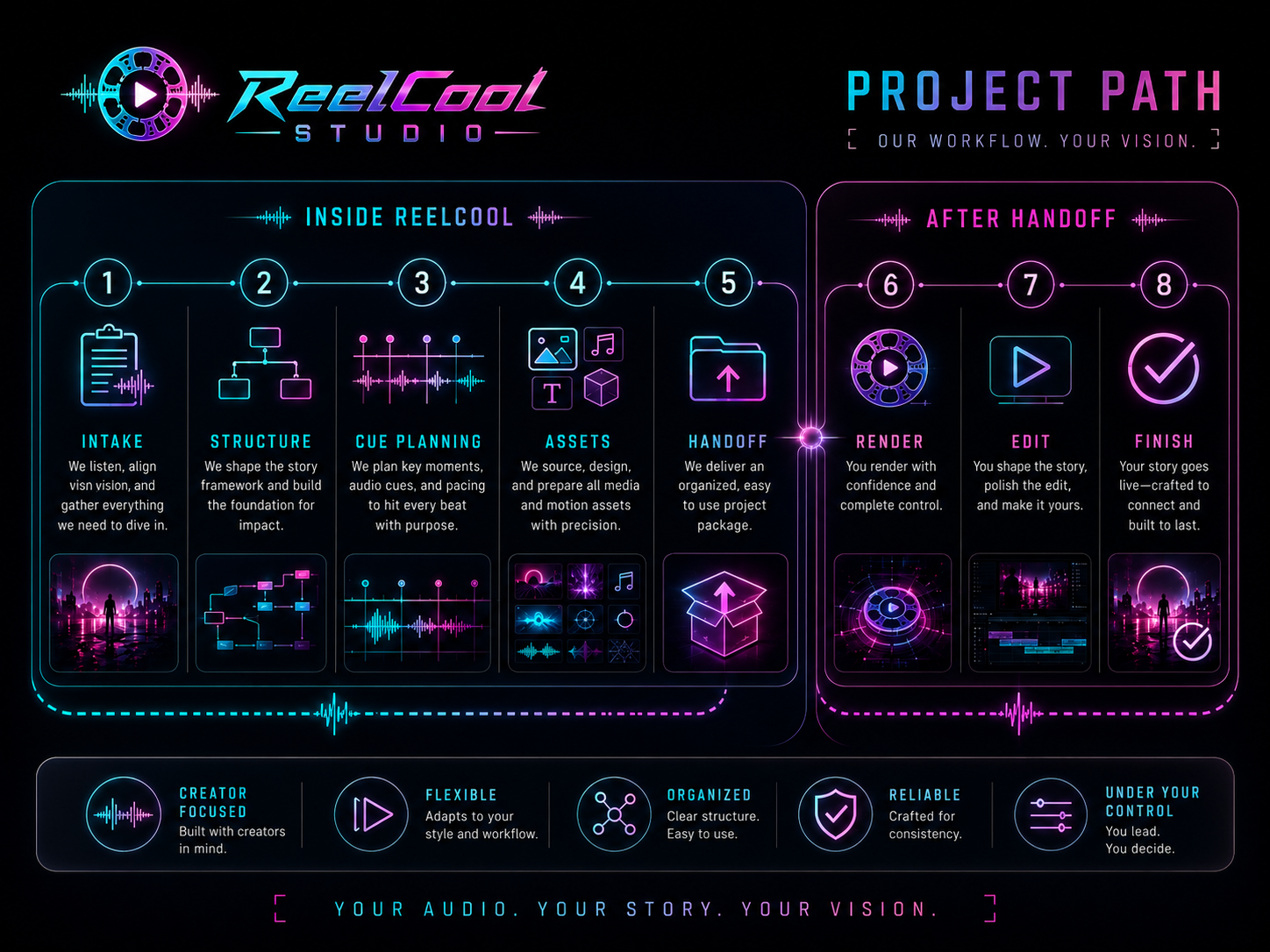
Project path
ReelCool keeps the production chain from turning into chaos.
The app gives the project a spine: source audio, story beats, cues, visual rules, prompts, assets, approval states, and handoff notes. The actual renders, edits, exports, and release decisions still happen after that structure is built.
 View larger →
 01 Project intake
Start with the material that defines the project: a song, narration, spoken-word recording, family story, podcast segment, artwork, character notes, references, and the intended final use.
- Audio or story source
- Artwork and references
- Project goal
- Use-case notes
02 Structure map
Break the source into usable working sections. For music, that may be intro, verse, hook, bridge, and outro. For narration, it may be story beats, character moments, locations, emotional turns, or key lines.
- Section map
- Story beats
- Timing anchors
- Priority moments
03 Visual direction
Define the visual rules before production starts: mood, palette, characters, wardrobe, locations, camera language, recurring motifs, continuity requirements, and style boundaries.
- Visual brief
- Character notes
- Location rules
- Continuity rules
04 Cue planning
Attach the right visual intent to the right moment. Each cue can carry its own timing, prompt notes, source references, scene purpose, revision notes, and approval state.
- Cue list
- Prompt notes
- Reference links
- Revision targets
05 Asset organization
Keep generated takes, source art, renders, rejected attempts, approved clips, and production files tied to the project instead of scattered across folders and tools.
- Asset library
- Approved takes
- Rejected takes
- Production notes
06 Handoff package
Prepare the project for the next production step. ReelCool Studio packages the structure, cue notes, visual direction, selected assets, and remaining gaps so rendering or editing work can continue cleanly.
- Shot list
- Cue notes
- Asset folders
- Editor/render handoff
07 Render or generate outside the app
Use your chosen render, image, video, animation, or helper tools to create the actual media files. ReelCool Studio can organize the intent and assets, but it does not replace every external renderer, model, plugin, or creative tool.
08 Edit and assemble
Bring approved clips, stills, motion assets, audio, captions, and notes into a real editor such as VEGAS Pro, Resolve, Premiere, CapCut, or another tool. This is where timing, polish, transitions, sound sync, and final assembly happen.
09 Review, replace, and finish
Find weak shots, make replacements, tighten pacing, check continuity, confirm rights and source material, export final formats, and prepare platform-specific versions for release or delivery.
ReelCool Studio organizes
Project structure, cue intent, visual direction, prompts, notes, assets, review state, selected takes, and handoff packages.
External tools create media
Rendering, generation, animation, upscaling, compositing, audio work, and platform-specific production steps happen in the tools you choose and control.
The editor finishes the piece
Final timeline assembly, sync, cuts, transitions, titles, color, delivery formats, quality control, and publishing remain part of the completion process.
A workflow layer, not an instant final product
ReelCool Studio helps turn your idea, audio, story, and references into an organized production path. The finished result still depends on the media you create, select, edit, and approve.
Use the render tools that fit your project
The app prepares structure, cues, prompts, notes, and assets for the next step. Image/video generators, animation tools, plugins, and editors remain separate choices you control.
Publishing requires your clearance
Before release or client delivery, confirm that you have the right to use your music, voices, likenesses, references, generated media, stock assets, fonts, and final exports.
Creative judgment stays central
ReelCool Studio can make the process cleaner, but it does not replace taste, timing, continuity review, editing decisions, or final quality control.
Practical outcome
A cleaner path from idea to finished release.
A creator can start with a song, narrated memory, story, podcast clip, or character idea; turn it into a structured visual plan; organize assets and cue notes; hand the package into rendering and editing tools; then finish, review, export, and publish with fewer loose ends.
